|
|
 |
Convert M4A to SWF
|
MP3 to SWF Converter converts M4A files to SWF
(Adobe Flash Movie) quickly and easily. MP3 to SWF Converter supports streaming
and event sounds. The software also supports batch conversion and
is full compatible with Vista and Windows 7.
- Free
Download MP3 to SWF Converter
- Install the Software by Instructions
- Launch MP3 to SWF Converter
- Choose M4A Files
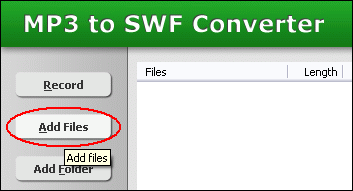
Click "Add Files" button to choose M4A files and add them
to conversion list.
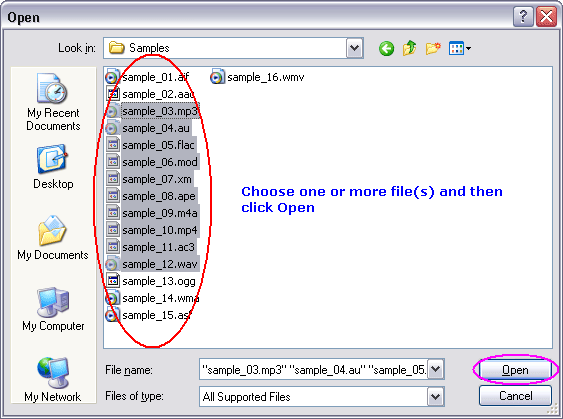
Choose one or more M4A files you want to convert into SWF Flash.
- Convert M4A to SWF
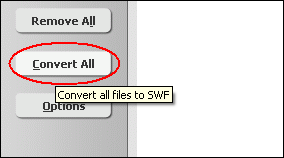
Click "Convert All" button to convert M4A files to SWF.
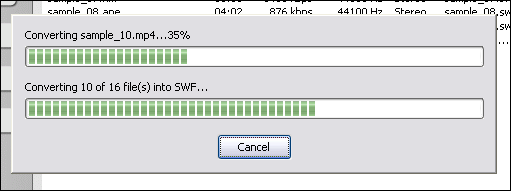
MP3 to SWF Converter is converting M4A to SWF.
- Play SWF
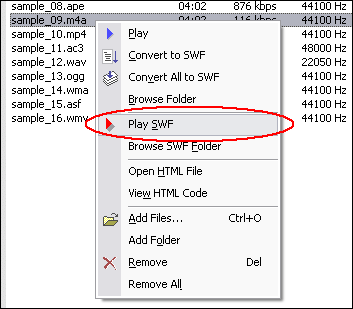
Right-click converted item and choose "Play SWF".

Playing SWF.
- Browse Generated Files
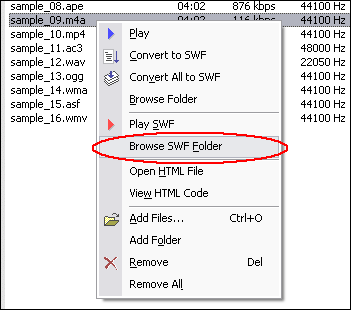
Right-click converted item and choose "Browse SWF Folder".
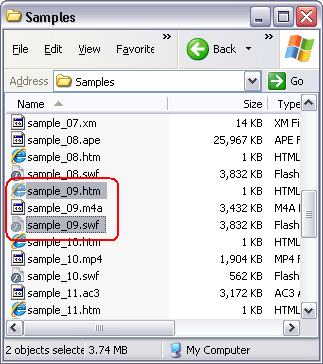
You will see 3 files were generated for a MP3 file.
- SWF File: This is the destination SWF file.
- HTML file: You can double-click the file to play SWF file in your web
browser. If you do not want to generate the file, please go to "Options"
-> "SWF Options" and uncheck "Create HTML file".
See Also:
Top
What is M4A?
MPEG-4 Audio. Because of its exceptional performance and quality, Advanced Audio
Coding (AAC) is at the core of the MPEG-4, 3GPP and 3GPP2 specifications and is
the audio codec of choice for Internet, wireless and digital broadcast arenas.
AAC provides audio encoding that compresses much more efficiently than older formats,
such as MP3, yet delivers quality rivaling that of uncompressed CD audio.
What is SWF?
SWF (acronym of "Shockwave Flash", pronounced swiff) is a partially
open file format for multimedia and especially vector graphics developed by FutureWave
Software, and now controlled by Adobe. Intended to be small enough for publication
on the web, SWF files can contain animations or applets of varying degrees of
interactivity and function. SWF is also sometimes used for creating animated display
graphics and menus for DVD movies, and television commercials. SWF is currently
the dominant format for displaying animated vector graphics on the web, far exceeding
the W3C open standard SVG, which has met with problems over competing implementations.
Convert M4A to SWF Related Topics:
AAC to SWF,
AC3 to SWF,
ADX to SWF,
AIFF to SWF,
APE to SWF,
AU to SWF,
CDA to SWF,
FLAC to SWF,
IT to SWF,
M4A to SWF,
M4B to SWF,
MO3 to SWF,
MOD to SWF,
MP2 to SWF,
MP4 to SWF,
MPC to SWF,
MTM to SWF,
OGA to SWF,
OGG to SWF,
S3M to SWF,
SPX to SWF,
TTA to SWF,
UMX to SWF,
WAV to SWF,
WMA to SWF,
XM to SWF
|



